Accesso remoto al tuo computer
Connettiti a un desktop remoto dal browser o dall'app. Gratis e senza limiti! Interfaccia multilingue.
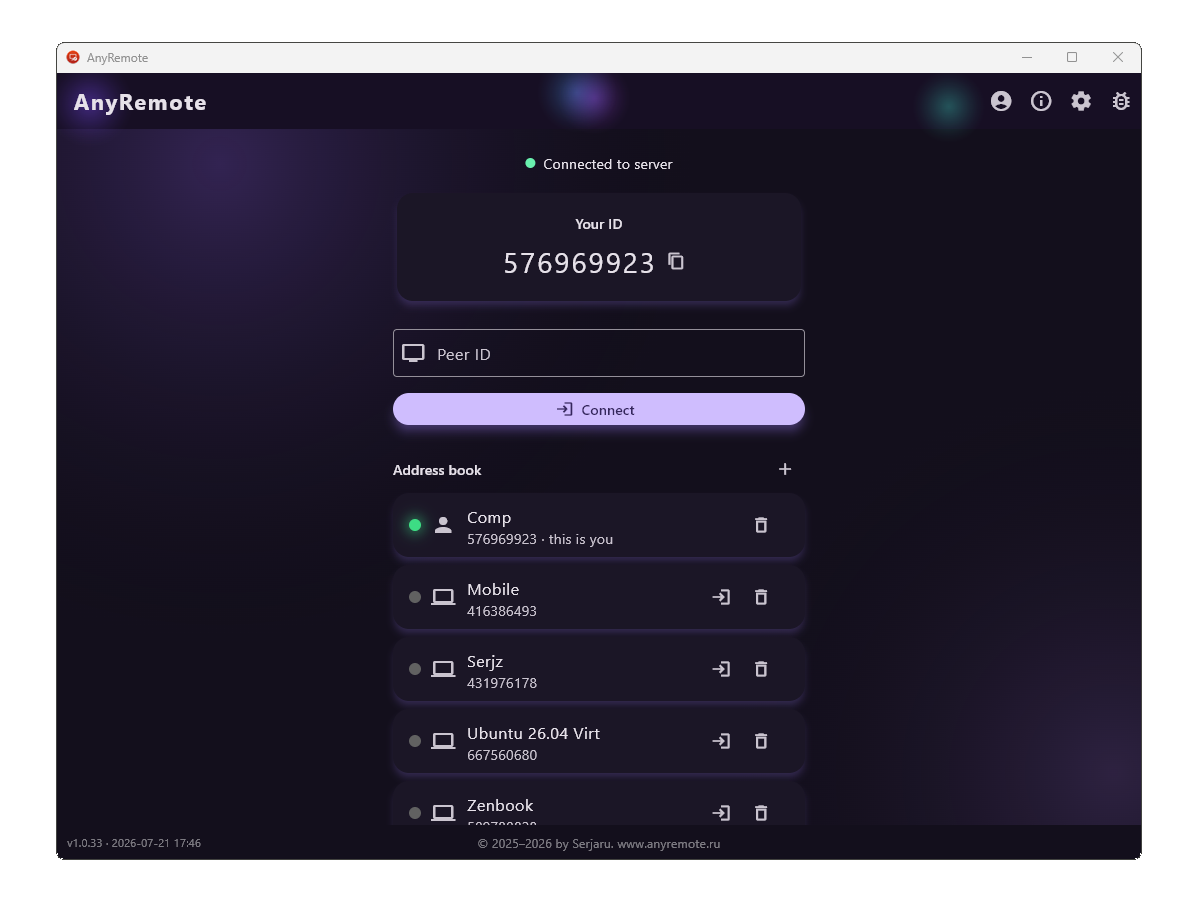
Familiar from other tools — only free
If you have used TeamViewer, AnyDesk, Ammyy Admin or similar tools, everything here works the way you expect: a computer has a number, you type it in and you are at its desktop.
The difference is in the terms. AnyRemote is free — at home and at work alike. No trial periods, no session time limits, no counting your connections and no warnings about "commercial use". An account is only needed to sync the address book between your own devices; without one the app still does everything.
Windows, Linux, Android — or just a browser
The app plays both roles at once: the same computer can share its screen and control someone else's.
- Windows — screen, mouse and keyboard, autostart, tray icon, self-update.
- Linux — a
.debpackage, works under both X11 and Wayland; input throughuinput. - Android — phones and tablets: watch someone's screen, or share your own.
- Browser — connect straight from the page, nothing to install.
File transfer and the rest of the daily work
- File manager — two panes like a classic commander: copy queue, speed, cancel and resume of an interrupted transfer, drag and drop straight from your file explorer.
- Shared clipboard — copy here, paste there.
- Several viewers — up to four connections to one computer at the same time.
- Monitor picker when there is more than one screen, and three picture scaling modes.
- View-only mode — your partner sees the screen but cannot click anything.
- Password for unattended access — to reach your own machine when nobody is sitting at it. The password itself never travels over the network.
Fast — because the picture goes straight across
The screen is encoded by the graphics card (H.264: DXGI and Media Foundation on Windows, MediaCodec on Android, VA-API on Linux) and travels directly between the computers, bypassing our server. Quality and frame rate can be set by hand, or left to adapt to the link: on a narrow connection the app lowers the stream by itself and restores sharpness once there is room.
Secure, with no tracking
- The connection is encrypted end to end (DTLS/SRTP) — picture, input and files alike.
- Our server only introduces the two participants. When a direct path cannot be established (common on mobile networks) a relay steps in — the data stays encrypted there too, and we cannot read it.
- No telemetry: the app gathers no statistics, does not watch you and sends nothing in the background. Every request it does make is listed down to the last one.
- A session is approved by the owner of the computer — or by a password only they know.
In short: what it is for
AnyRemote is remote access to a computer over the internet: remote desktop, remote help for family and colleagues, reaching your home or office machine while travelling, administering servers and workstations. Remote control software that asks for no money and counts no sessions: connect by device number, transfer files between computers, share the clipboard, work from a browser with nothing installed.
A free alternative to the usual remote access tools (TeamViewer, AnyDesk, Ammyy Admin, RustDesk) — with Windows, Linux and Android support and an interface in seven languages.